
How to review changes
Why are reviews important?
Section titled “Why are reviews important?”When working together on a project, changes are usually made in branches and checked before merging into the main branch. Reviews let teammates give feedback, helping you see your work from a fresh perspective and improve it. Reviews are not just for code; they can also cover documentation, metadata files, or settings. They can even be set as required, to keep quality and consistency high. This way, no changes can be merged before review and approval. On GitHub, these reviews are commonly known as pull request reviews.
Request a review as an author
Section titled “Request a review as an author”A review should be requested, if the work on a topic has finished. Finishing the work on a topic means you wish to merge your branch to the main branch. To do this, you open a Pull Request (PR) and choose someone specific to review it. It is often best to choose a reviewer who was not directly involved in the development of this topic but is familiar with it.
- First, open a Pull Request.
- On the top right you can choose who to assign as a reviewer.
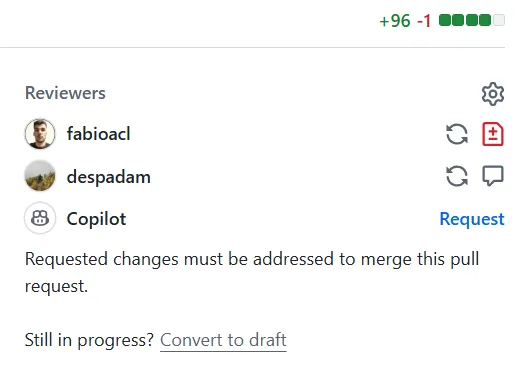
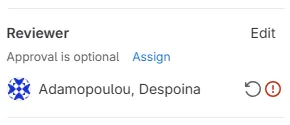
- Now you need to wait for the reviewer to finish the review.
- Lastly, if you realize that you have not finished working on your changes yet, you can convert your PR to a draft. This will make it clear to the reviewers that they should not start the review process yet.
Make changes as a reviewer
Section titled “Make changes as a reviewer”As a reviewer you will receive a notification (depending on your settings) that you are requested to review a PR.
-
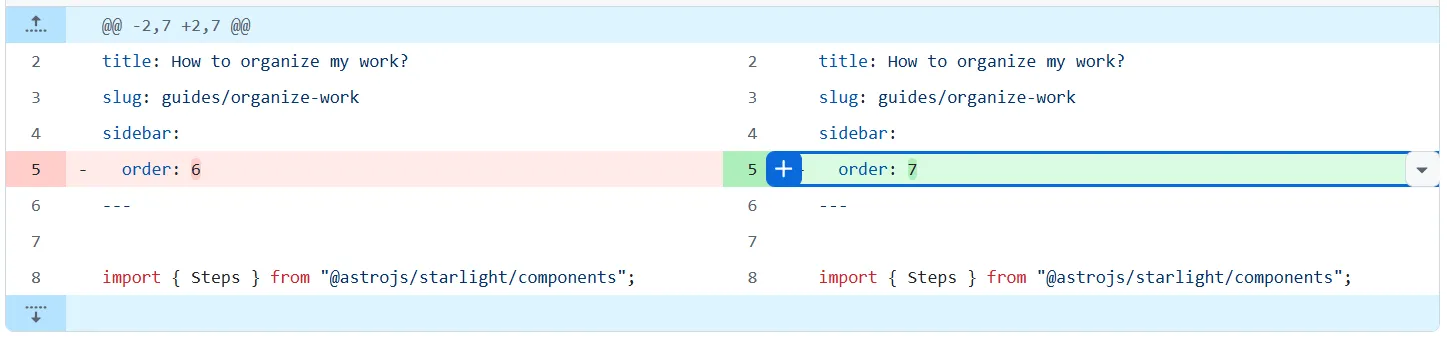
When reviewing, you will see a splitscreen view where on the left, highlighted in red, are the original lines of text that have been edited, and on the right, highlighted in green, are the newly added changes
-
Go to a line of text that you would review, click on the plus symbol ➕
-
Either add a comment, or choose to make a suggestion (click on the plusminus symbol), which gives you the option to propose changes to one or more lines
- A suggestion can simply be accepted by the author, whereas a comment just gives a hint for a change
-
Click the green button to start the review or to add more comments to an ongoing review
-
When you are finished with your comments click the green button at the top to finish your review
- This will send a notification to the author for further actions
-
You have 3 options for your review:
- Approve the changes as they are if you agree with them
- Simply comment if you want to make suggestions that would be a nice-to-have, but are not mandatory
- Request changes if there is something that you believe should be changed before merging the branch into main
-
When reviewing, you will see a splitscreen view where on the left, highlighted in red, are the original lines of text that have been edited, and on the right, highlighted in green, are the newly added changes
-
Go to a line of text that you would review, click on the comment symbol 💬

-
Either add a comment, or choose to make a suggestion (click on the plusminus symbol), which gives you the option to propose changes to one or more lines
- A suggestion can simply be accepted by the author, whereas a comment just gives a hint for a change
-
Click the green button to start the review or to add more comments to an ongoing review
-
When you are finished with your comments click the green button at the top to finish your review
- This will send a notification to the author for further actions
-
You have 3 options for your review:
- Approve the changes as they are if you agree with them
- Simply comment if you want to make suggestions that would be a nice-to-have, but are not mandatory
- Request changes if there is something that you believe should be changed before merging the branch into main
Handle change requests from reviewers
Section titled “Handle change requests from reviewers”When a reviewer requests changes, as an author you have several options.
-
Accept them:
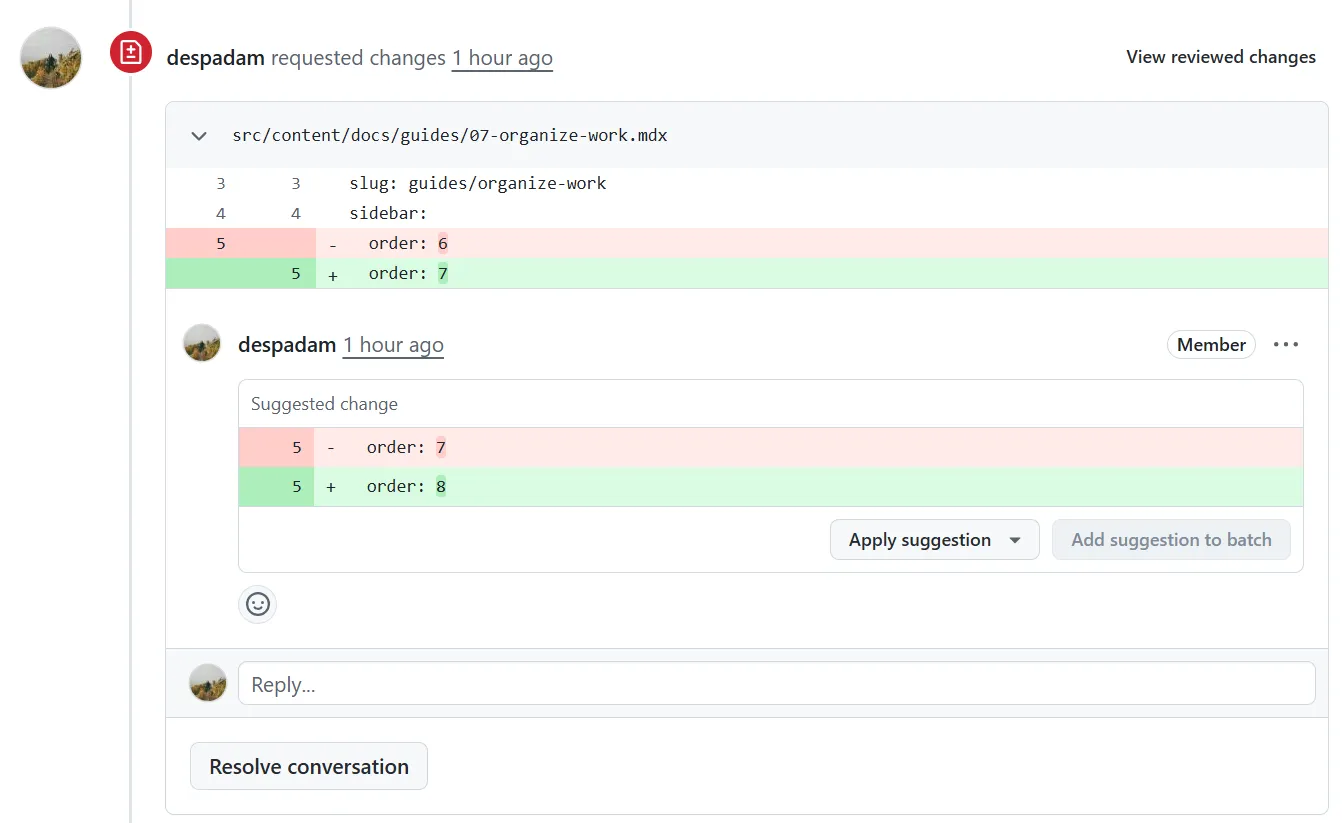
- If you agree with the feedback and comments, implement them in your branch and push the changes. The pull request will automatically be updated.
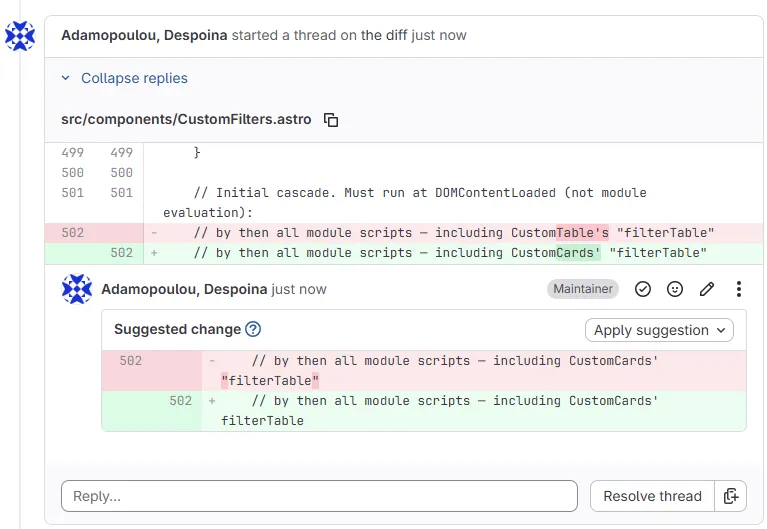
- If the reviewer has made direct inline suggestions, you can apply the changes directly.
-
Discuss further:
- If you disagree with the feedback or believe the suggested changes are not necessary, you can respond to the reviewer by leaving a comment.
- Once you have reached a compromise you can resolve the conversation.
- For larger or more complex suggestions that do not fit well within the current pull request, you can create separate issues to track these improvements. This allows you to keep the current PR focused while still addressing the feedback.
- Once an issue is created, the person responsible can create a new branch specifically for addressing that issue, make the necessary changes, and submit a pull request, repeating the same process again.
-
Close the PR:
- When the reviewing process is finished, and both author and reviewer are satisfied with the implemented changes, you can merge the pull request, as seen here.
- If at the end you realize, through the reviewing process, that the implemented changes are actually no longer needed, you can close the pull request without merging it.